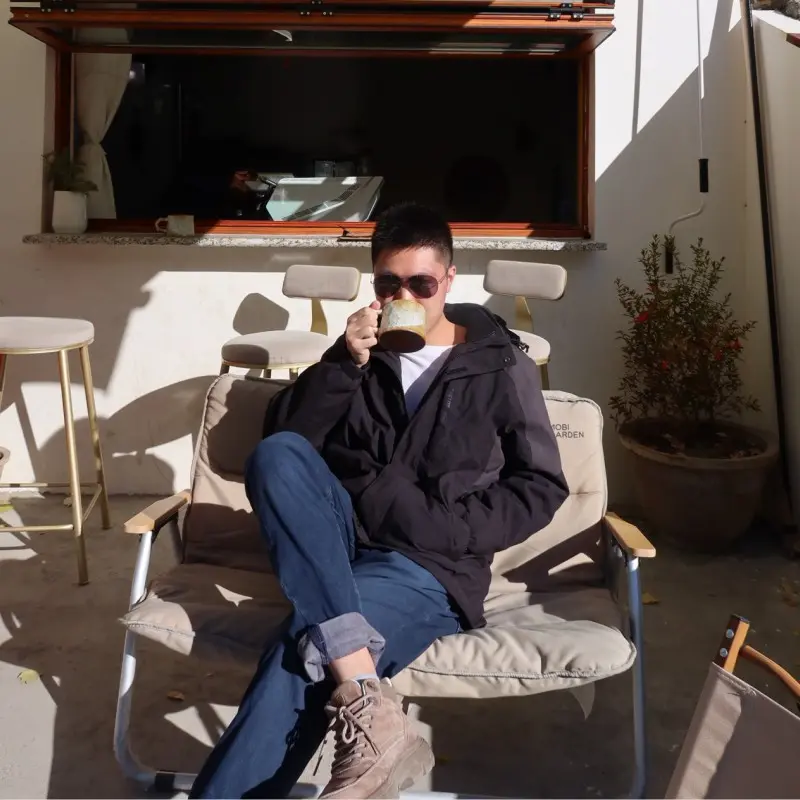
What Is Portrait Style Transformation
Portrait style transformation uses AI style transfer technology to turn an ordinary photo into a stylized artwork. Unlike traditional filters that simply apply an effect on top of your image, AI style transfer analyzes the entire photo — the subject, facial features, lighting, and composition — then reconstructs the portrait using the textures, colors, and visual language of the chosen artistic style. The result is not a filtered version of your photo but a newly created work of art.
This technology has made portrait transformation accessible to everyone. What once required hiring an artist or spending hours in Photoshop can now be done with a few simple choices. With Bobi, you upload one photo, choose from 32 styles across 4 categories, or describe your desired look in natural language — no technical skills or complex prompts required. The magic of AI style transfer lies in preserving your likeness while changing the aesthetic context entirely. You still look like you — just reimagined in a different visual universe.
Get started with the basics in What Is AI Portrait Style Transformation — And Why It's More Than a Filter.
The 4 Categories: A Visual Tour
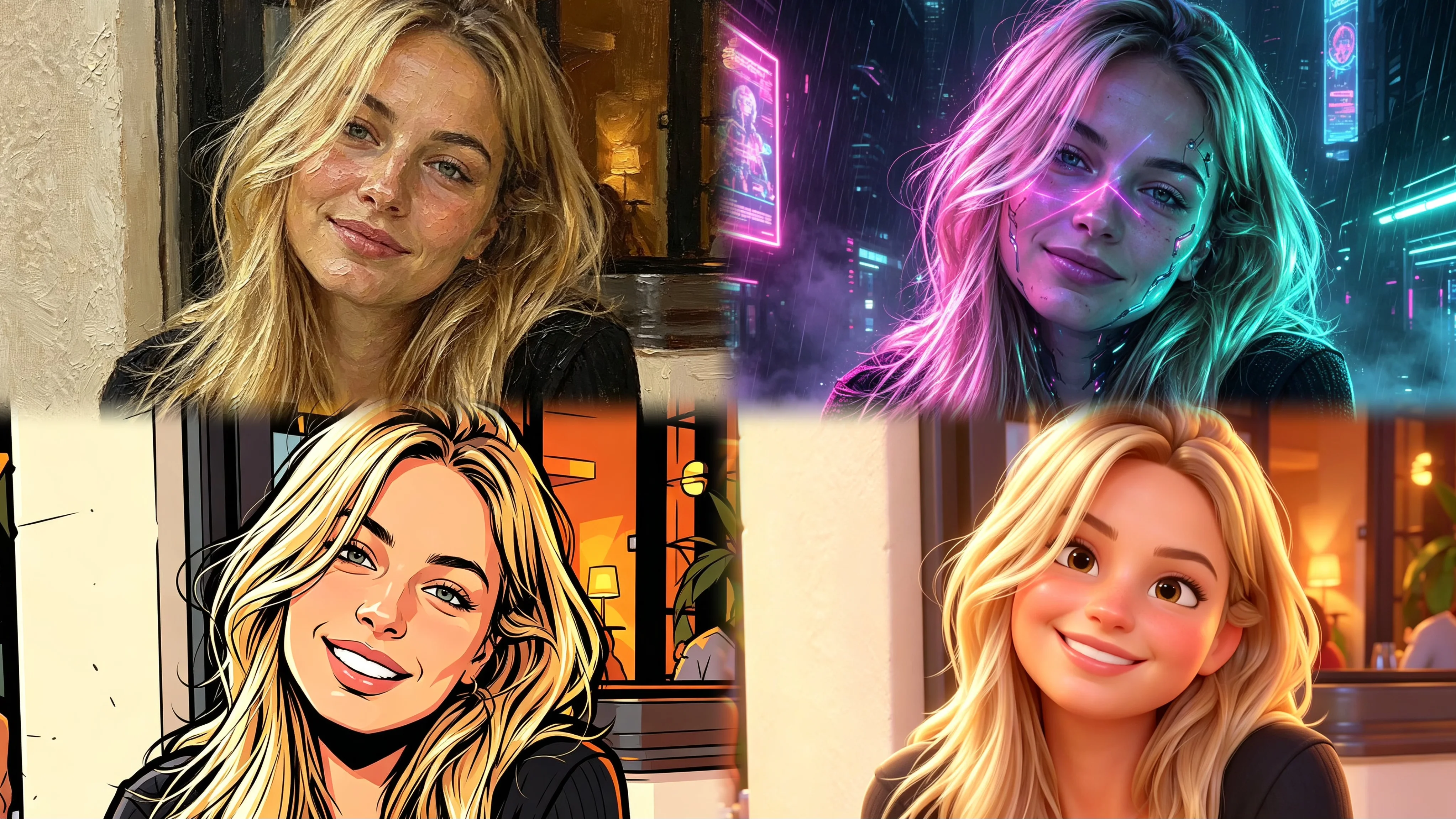
Bobi 32 styles are organized into 4 distinct visual categories, each drawing from a different artistic tradition. The Classical category includes oil painting, ink wash, and watercolor — styles rooted in fine art that emphasize texture, depth, and timeless sophistication. These AI art styles work beautifully for half-body and full-body portraits where you want to convey permanence and polish.
The Pop category brings in anime, cel shading, and American cartoon aesthetics — styles inspired by animation and comics. These AI art styles are ideal for close-up selfies and social media profiles where bold, recognizable visuals help you stand out. The Fantasy category features cyberpunk, nordic, gothic, and fairy tale styles, each creating character-driven portraits with strong narrative atmosphere.
The Modern category includes 3D soft and illustration styles that feel warm and contemporary. Together, these 4 categories cover every major visual language for portrait style transformation, from classical fine art to cutting-edge digital aesthetics. For a detailed breakdown, see Which AI Art Style Suits Your Photo Best? A Complete Matching Guide.
Matching Your Photo to the Right Style
Not every style suits every photo equally. The key to a successful photo to art transformation is matching your photo type with the right AI art style. Here is a quick guide based on how the photo was taken:
- Half-body portraits (chest or waist up): The most versatile photo type. Oil painting and watercolor produce stunning results by applying rich brushwork on clothing and skin. Ink wash also excels, turning your shot into something reminiscent of traditional East Asian scroll painting.
- Close-up selfies: Cel shading, anime, and illustration styles are top choices. They simplify features into clean lines and bold colors, turning your selfie into an animated frame or a modern digital portrait.
- Full-body shots with environment: Ink wash and cyberpunk styles shine here. They reimagine the entire scene — both person and background — creating a cohesive artwork that looks like a film still.
- Group photos: American cartoon, pixel art, and watercolor work best. These styles embrace a less photorealistic approach, handling multiple faces more naturally and evenly.
For a detailed matching guide covering each photo type with examples, see Which AI Art Style Suits Your Photo Best? A Complete Matching Guide.
One Photo, Multiple Looks
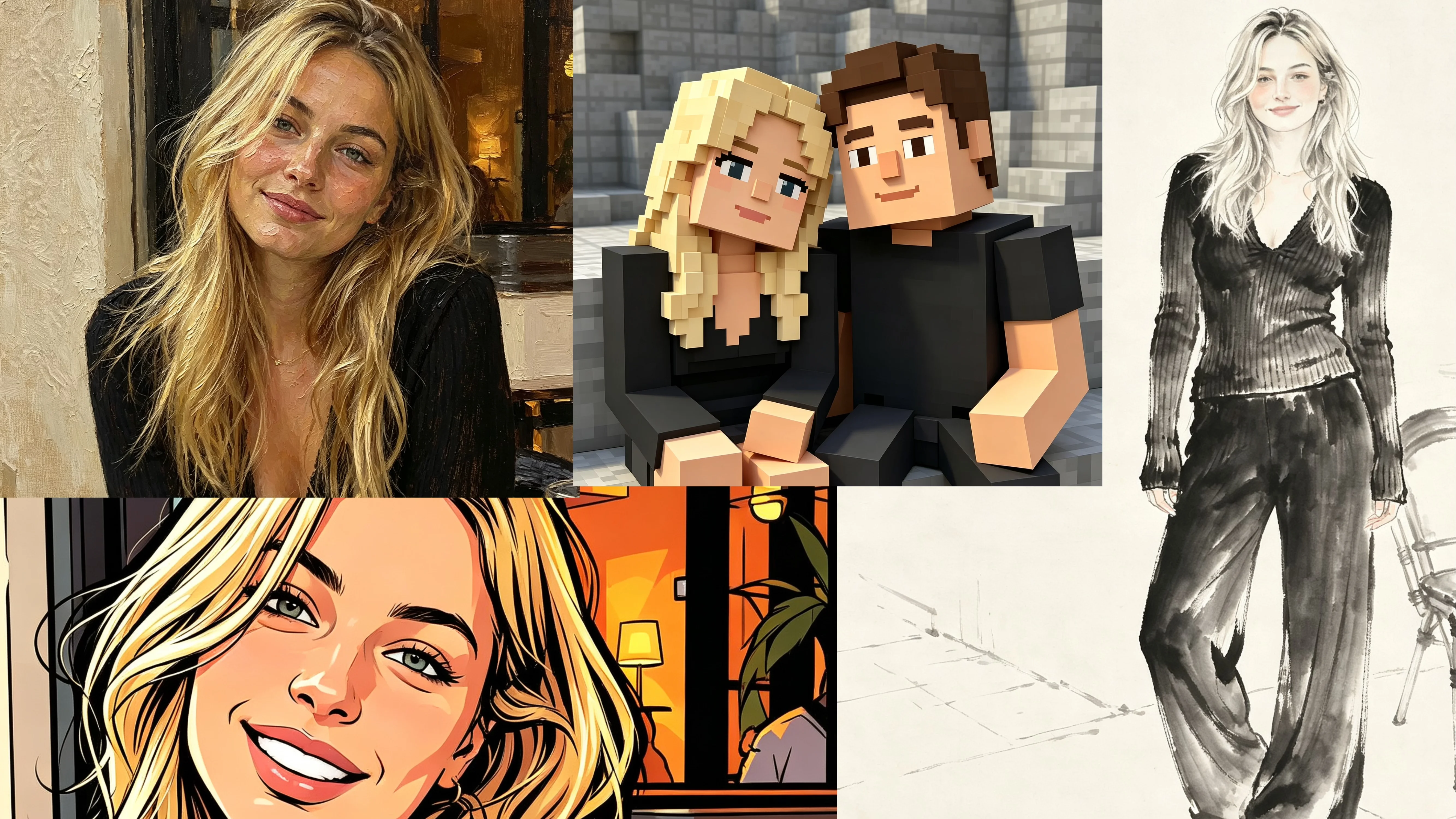
The most powerful feature of AI portrait style transfer is the ability to create multiple completely different looks from a single photo. Upload one portrait to Bobi and generate a professional oil painting for LinkedIn, a playful anime version for Discord, a warm illustration for WeChat, and a bold cyberpunk look for TikTok — all from the same original image.
This is what sets AI portrait transformation apart from traditional photography. A professional photoshoot gives you one look (or a few variations). With AI style transfer, the same photo can be interpreted in 32 different visual languages, each with its own mood, texture, and aesthetic impact. The underlying person stays the same, but the presentation adapts to each platform culture.
This multi-look approach is especially valuable for creators and professionals maintaining a presence across multiple platforms. It gives you a consistent visual identity — since every version starts from the same photo — while letting you tailor each output to its specific context. See the full strategy in One Portrait, Four Looks: Use the Same Photo Across Different Platforms.
Beyond Presets: Custom Prompt for Style
Bobi 32 preset styles cover a vast range of artistic possibilities, but when you have a very specific vision, custom prompts unlock unlimited creative freedom. Instead of choosing from a list, you describe exactly the look you want in natural language — a specific art movement, a particular color palette, a certain mood — and the AI generates a portrait matching your description.
Custom prompts follow a simple structure: describe the style (art movement, medium, or technique), the background or setting, the lighting or atmosphere, and specific visual details. For example: "Transform this portrait into a 1970s French film poster — muted sepia tones, grainy texture, soft window light, melancholic romantic atmosphere." The more specific your prompt, the closer the result matches your vision.
This feature is ideal for artists, designers, and anyone wanting a unique portrait that blends multiple aesthetic influences. Start with presets to explore Bobi capabilities, then switch to custom prompts when you are ready to create something one-of-a-kind. Learn more in Beyond Presets: Create Custom Portrait Styles with AI Prompts.