When to Go Beyond 32
The 32 preset styles in Bobi cover a vast range of artistic possibilities, but what if you have a very specific vision? Custom portrait styles let you go beyond the presets — a 1970s French film poster aesthetic, a charcoal sketch from a specific art movement, or a style that mixes elements from multiple categories. Instead of choosing from a predefined list, you describe the exact look you want in words, and the AI generates it. Custom prompts give you unlimited creative freedom while keeping the core process the same: upload a photo, describe your desired style, and let the AI produce the result.
| When to Use Presets | When to Use Custom Prompts |
|---|---|
| You want to explore quickly and find inspiration | You have a very specific visual in mind |
| You are new to AI portrait style transformation | You want more control over the output |
| Speed and convenience are your priority | Uniqueness and originality matter most |
| You are happy with the 32 available aesthetics | You want a style that no one else has |
Custom prompts are therefore best when you know exactly what you want and the 32 presets do not quite match it. They are also great for creating a truly unique look — since you are writing your own style description, the output is genuinely one of a kind.
Writing Portrait Prompts
How do you write a prompt that the AI can actually work with? A well-structured prompt gives the AI clear direction and produces much better results than a vague one-line description. The key is to break down your vision into specific visual elements using a proven formula.
- Person — Keep this brief since the AI already sees your face. Mention angles or framing if relevant: "close-up portrait" or "three-quarter view."
- Art Style — Name the artistic style or movement. For example: "impressionist oil painting," "Studio Ghibli animation," "noir comic book," "Renaissance portrait." This sets the fundamental visual language.
- Medium & Texture — Specify the artistic medium: "oil on canvas," "watercolor on paper," "digital art," "charcoal sketch." Each medium produces a different feel in the final output.
- Color & Lighting — Describe the color treatment and lighting: "warm golden tones," "cool blue and silver," "high-contrast black and white," "muted sepia." Lighting adds depth: "soft window light," "dramatic side lighting," "golden hour glow."
- Background & Setting — Set the environment: "vintage Parisian café," "futuristic cityscape at night," "minimalist white studio," "enchanted forest."
- Mood & Atmosphere — Finally, set the emotional tone: "melancholic and romantic," "energetic and bold," "calm and contemplative," "whimsical and dreamy."
For example, instead of writing "make me look like a movie character," you would write "Transform this portrait into a character from a noir detective film — high-contrast black and white, dramatic shadows on the face, cigarette smoke in the air, 1940s fashion, grain texture." When writing prompts, focus on descriptors that affect visual style rather than physical appearance. Words like "texture," "lighting," "brushwork," "color palette," and "era-specific aesthetics" give the AI useful direction without asking it to alter your identity.
Example Prompt
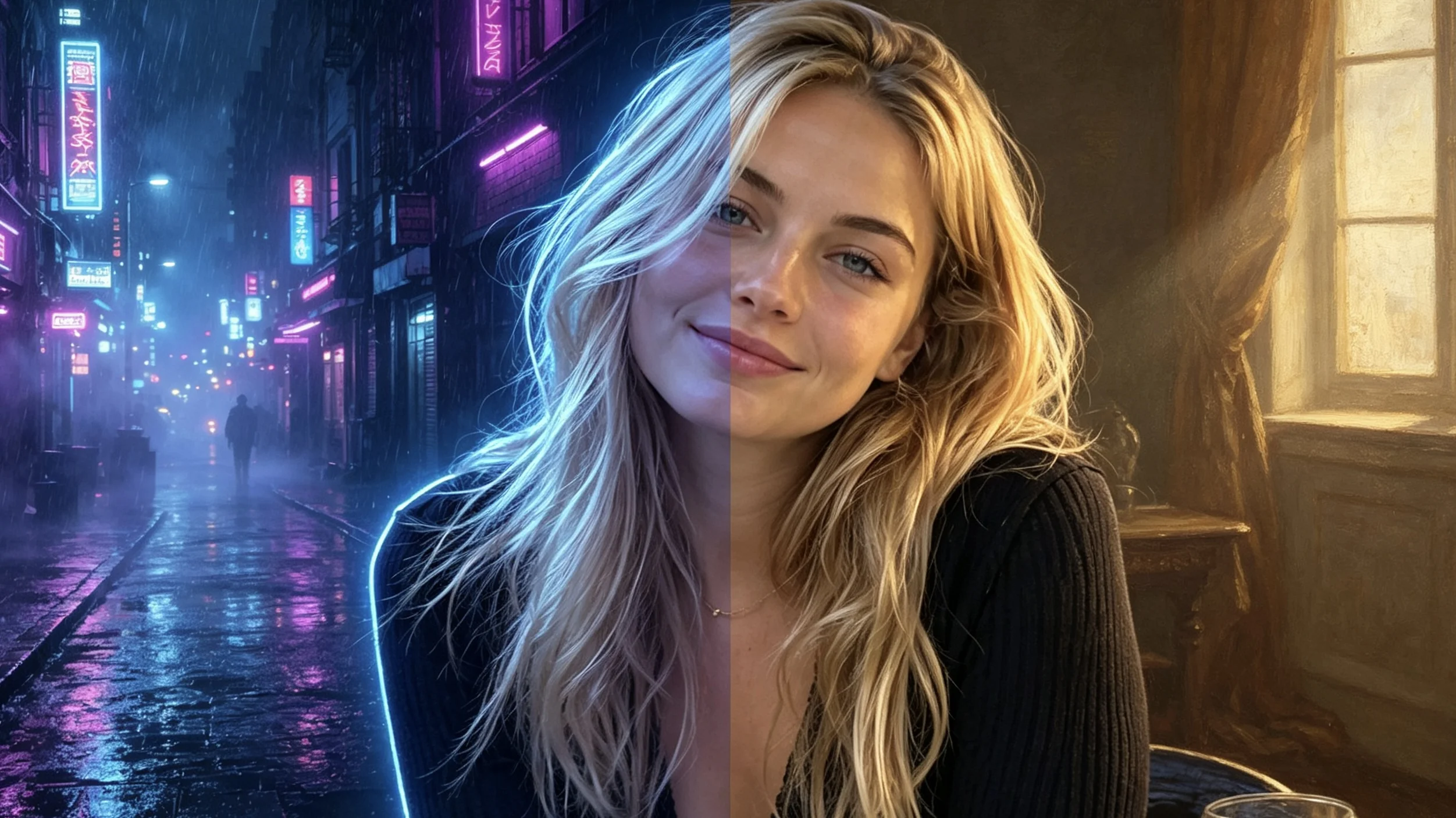
What separates an effective prompt from a weak one? The answer is specificity. Below are four prompt pairs that show exactly how adding detail transforms the output.
| Good Prompt | Weak Prompt | Why It Matters |
|---|---|---|
| "Transform this into a 1970s French film poster — muted sepia tones, grainy film texture, soft window light, melancholic romantic atmosphere, handwritten typography." | "Make me look cool." | Specifies era, color, texture, lighting, mood, and typography vs. zero visual direction. |
| "Renaissance oil portrait — warm chiaroscuro lighting, rich earth tones, deep burgundy background, canvas texture visible, classical composition." | "Make me look like a painting." | Names a specific art movement and lighting technique vs. a generic medium reference. |
| "Noir detective character — high-contrast black and white, dramatic shadows, venetian blind stripes, 1940s fedora and trench coat, cigarette smoke." | "Make me look mysterious." | Creates a scene with specific visual elements vs. an abstract concept. |
| "Studio Ghibli style — soft pastel color palette, gentle warm lighting, fluffy cloud backgrounds, whimsical nostalgic mood, hand-drawn line quality." | "Make me look like anime." | Targets a specific studio aesthetic vs. a broad genre that could mean anything. |
The pattern is clear: start with a reference point — an era, an artist, a film, a studio — then layer on specific visual treatments. Each additional detail helps the AI understand the exact aesthetic you are aiming for.
Ready-to-Use Prompt Templates
Need a starting point? Here are 8 ready-to-use prompt templates you can copy and adapt for your own photos. Each template targets a different visual effect and audience.
- Studio Ghibli Dreamscape: "Transform this portrait into a Studio Ghibli film character — soft pastel color palette, gentle warm lighting, fluffy cloud backgrounds, detailed natural elements, whimsical and nostalgic mood." Best for Instagram and personal profiles where you want to convey warmth and creativity.
- Noir Detective: "Transform this portrait into a noir detective film character — high-contrast black and white, dramatic shadows, venetian blind stripes, 1940s fashion, cigarette smoke in the air." Perfect for creative portfolios and artistic personal brands.
- Renaissance Masterpiece: "Renaissance oil portrait — warm chiaroscuro lighting, rich earth tones, dark background, canvas texture visible, classical composition, dignified expression." Ideal for LinkedIn and professional contexts.
- Cyberpunk City: "Cyberpunk portrait — neon blue and purple lighting, rain-slicked streets reflected in the background, holographic glitch effects, futuristic fashion, dystopian atmosphere." Great for gaming profiles and creative communities.
- 80s Synthwave: "Synthwave aesthetic — vibrant magenta and cyan neon, retro-futuristic grid background, chrome reflections, film grain texture, nostalgic 80s vibe." Excellent for music profiles and retro-themed content.
- Watercolor Portrait: "Watercolor painting style — soft edges, wet-on-wet technique, pastel color washes, visible paper texture, gentle diffused lighting, dreamy atmospheric quality." Works beautifully for artist portfolios and personal blogs.
- Dark Fantasy: "Dark fantasy character portrait — moody low-key lighting, deep shadows, ethereal glow on the face, gothic architectural background, mysterious and dramatic atmosphere." Great for Twitch streamers and gaming personalities.
- Minimalist Line Art: "Minimalist line art portrait — clean continuous lines, negative space, monochrome palette, modern illustration style, elegant simplicity, editorial fashion feel." Perfect for modern professional profiles and design-focused brands.
Bobi Custom Prompt Mode
Ready to try it yourself? Bobi custom prompt mode is available to logged-in users. Getting started takes just a few steps: upload your photo, select the custom prompt option, type your style description, and tap generate. The AI processes your photo with your custom prompt and delivers a unique stylized portrait based on your description.
For best results, keep your prompt focused on visual style rather than content changes, use descriptive adjectives for texture and color, and reference known art styles or eras for better accuracy. And remember — the 32 presets are always there as a starting point. Use custom prompts when you have a specific vision, and use presets when you want to explore quickly.
For a step-by-step guide on writing effective prompts specifically for avatar/profile picture use, see Custom AI Avatars: How to Describe Your Perfect Look with Prompts.
Frequently Asked Questions
What is the ideal prompt length for AI portrait style transformation?
Aim for 20-60 words. Too short and the AI lacks direction; too long and it may over-interpret minor details. The sweet spot covers 4-6 visual elements in clear, descriptive language.
Can I use famous artist names in my prompts?
Yes, referencing known artists or art movements is one of the most effective ways to communicate a specific style. Mentioning "Studio Ghibli," "Rembrandt lighting," or "Akira Toriyama" gives the AI a clear reference point for the aesthetic you want.
How do I improve the output if it is not what I expected?
Change one element at a time. Adjust the color palette first, then the lighting, then the medium. Keep what works and replace what does not. Bobi lets you refine your prompt as many times as you like from the same photo.
Are custom prompts harder to use than preset styles?
Not at all. Presets are great for quick exploration, but custom prompts are just as easy once you understand the basic formula. Start with a preset to see what works, then tweak the prompt to move closer to your vision.