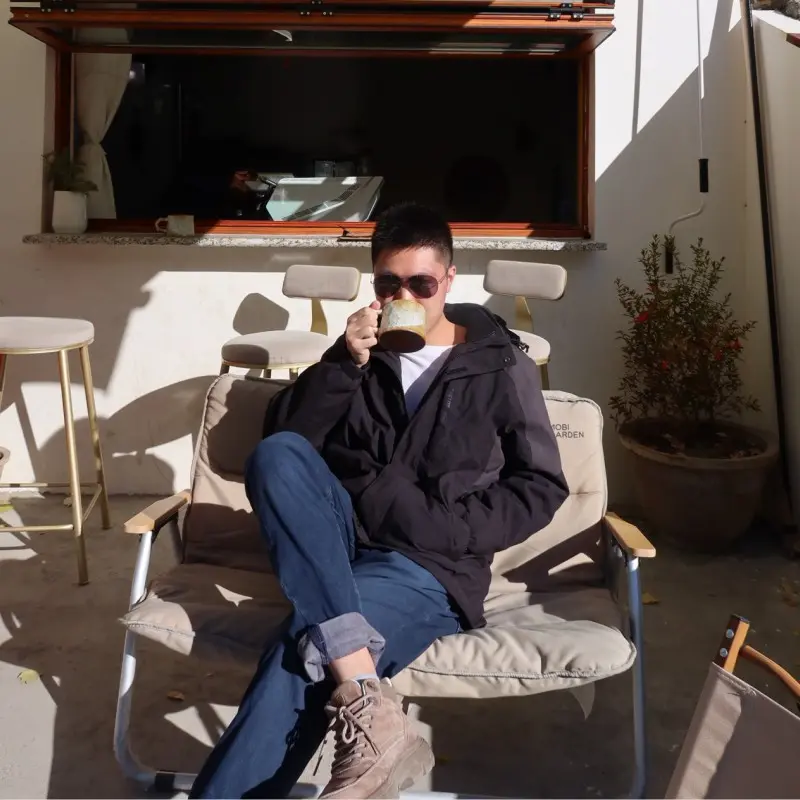
What Are AI Avatars
At its core, an AI avatar is a digital portrait created by transforming your photo through machine-learning-based style transfer. Unlike a simple filter that applies a uniform overlay across your entire image, AI avatar technology studies the unique structure of your face — your bone structure, features, and proportions — and reconstructs you in an entirely different artistic medium. The result is not a modified photo but a newly created portrait, rendered in a visual language chosen by you.
By 2026, AI avatars have become a mainstream tool for online self-expression. Millions of users turn to AI avatar generators to create stylized profile photos for social media, professional networking, gaming, and personal branding. The technology has matured to the point where generated portraits are often indistinguishable from hand-created artwork — and the process is refreshingly simple: upload a photo, choose a style, and tap generate. No technical skills, no complex settings, no prompt engineering required. This combination of ease and quality has fueled a rapid shift away from traditional selfies toward intentionally designed digital portraits.
Beyond aesthetics, AI avatars solve a real problem: your profile picture is often the first thing people notice about you online. A well-chosen stylized portrait does more than just look good — it communicates personality, taste, and intentionality before you say a single word. That is the real value of an AI avatar: it gives you control over how the digital world sees you.
For a deeper introduction, read our dedicated article: What Are AI Avatars — And Why Your Profile Picture Matters More Than Ever.
32 Styles, 4 Categories
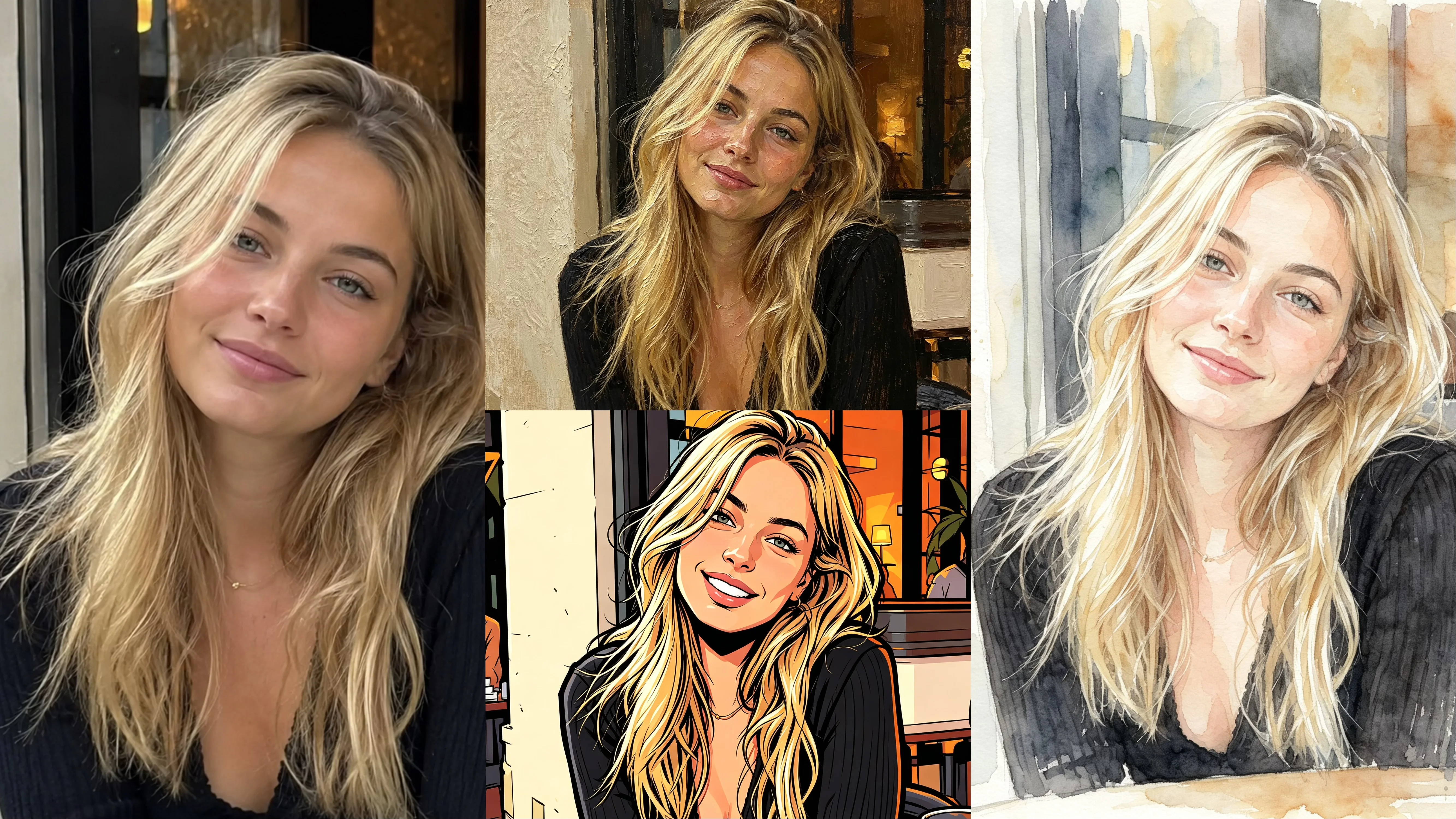
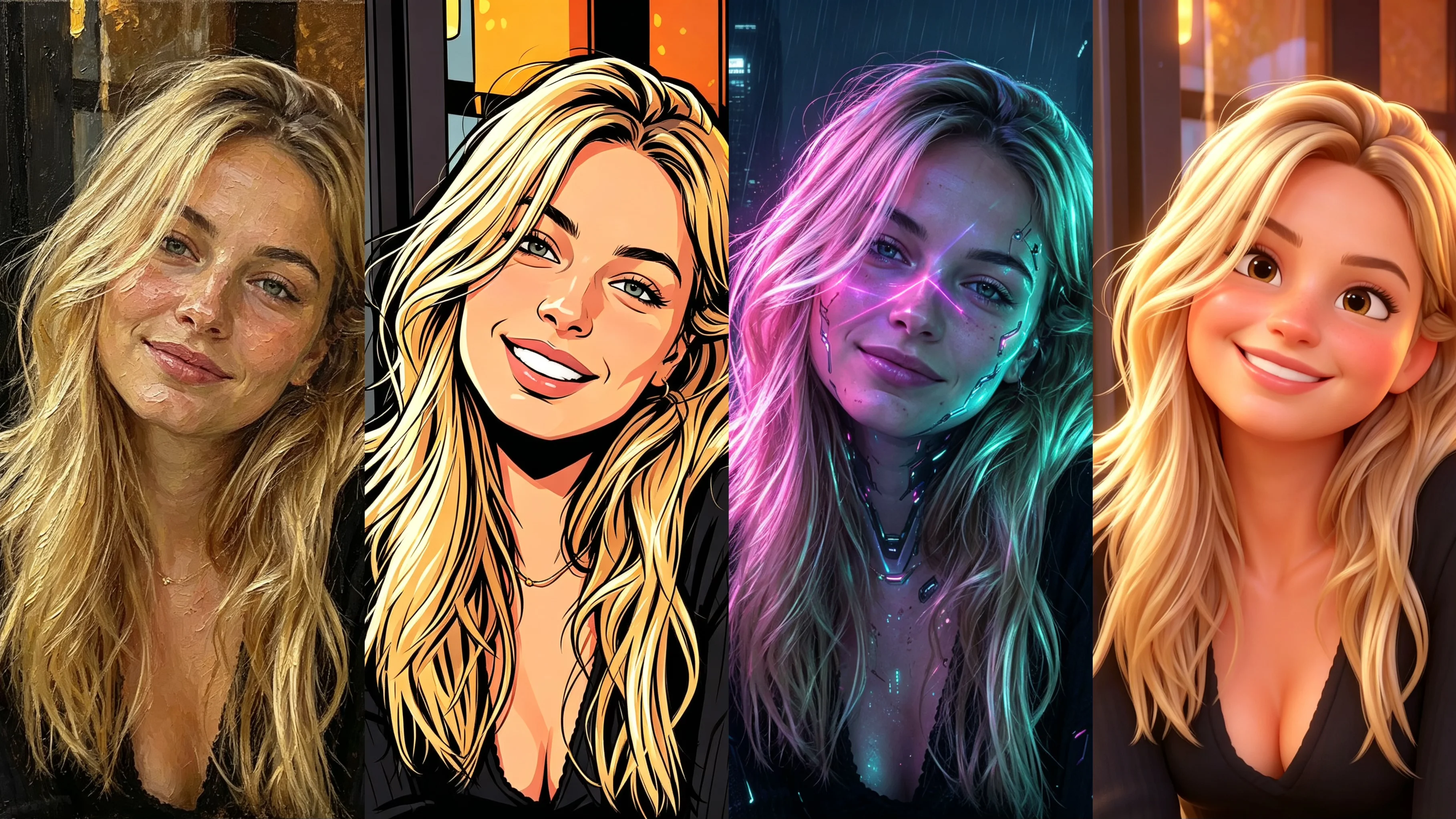
Bobi offers 32 unique styles organized into 4 broad visual categories. Each category draws from a different artistic tradition, giving you a wide spectrum of visual languages to choose from. Understanding the categories is the first step to finding a style that truly feels like you.
The Classical category brings you oil painting, watercolor, and ink wash styles — rooted in fine art traditions that emphasize texture, depth, and timelessness. These styles work beautifully for professional profiles and portraits where you want to convey sophistication. The Pop category covers anime, cel shading, and cartoon styles, inspired by animation and comics. These are ideal for social platforms and creative communities where a bold, recognizable aesthetic helps you stand out.
The Fantasy category includes cyberpunk, nordic, gothic, and fairy tale styles — each one creates a character-like portrait with a strong narrative atmosphere. Perfect for gaming profiles, creative portfolios, or any context where you want your profile photo to tell a story. The Modern category rounds out the collection with 3D soft and illustration styles that feel warm, contemporary, and approachable — great for everyday social media use.
Each of the 32 styles is carefully tuned for portrait generation, and you can easily browse through them all. Start by exploring the category that resonates most with your personal aesthetic, then experiment across categories — you might discover a style you never considered becomes your favorite.
How to Choose Your Style
With 32 styles across 4 categories, finding the right one can feel overwhelming. But the selection process becomes much simpler when you break it down by three key factors: the platform you are optimizing for, your personal aesthetic preferences, and the impression you want to create.
Start with the platform. Different platforms have different visual cultures and audience expectations. A polished oil-painting portrait that works perfectly on LinkedIn might feel stiff on TikTok, where creative and bold styles like cyberpunk or cel shading get more engagement. For WeChat and messaging apps, warm and approachable styles like watercolor or healing illustration feel most natural. Consider where your audience will see your profile photo and let the platform guide your initial direction.
Next, think about your personal aesthetic and the impression you want to make. Are you aiming for professionalism and timelessness? Classical styles communicate exactly that. Do you want to signal creativity and edge? Fantasy and Pop categories are your playground. The most effective avatar is one that aligns both with your platform context and your authentic self — because people can tell when a profile picture genuinely fits you.
For a complete decision framework with a platform-by-platform breakdown and personality matching guide, see How to Choose the Best Avatar Style for Your Personality & Platform.
What Photos Produce the Best AI Avatars?
The best AI avatar results come from photos with three key qualities: soft, even lighting; a clean, simple background; and a natural, relaxed expression. These factors help the AI accurately analyze your facial features and produce a stylized portrait that closely resembles you, regardless of which style you choose.
Here is how each factor affects your results:
- Lighting. Soft, diffused front lighting — like standing by a window on an overcast day or using a ring light positioned in front of you — produces even illumination across your face, giving the AI the clearest facial data to work with. Avoid harsh overhead or backlighting, which create shadows that confuse the style transfer process. The golden hour (just after sunrise or before sunset) provides warm, flattering natural light that translates beautifully into any style.
- Background and framing. Keep the background clean and simple — a plain wall in a neutral color is ideal. This gives the AI maximum creative freedom to transform the entire scene. Face the camera directly, remove sunglasses and heavy accessories, and frame yourself as a head-and-shoulders shot for the best balance of facial detail and compositional context. Use a high-resolution photo — at least 1024×1024 pixels — so the AI has enough detail to work with.
- Expression. A natural expression makes all the difference. A relaxed smile or a calm, neutral look gives the AI the clearest picture of your face. Avoid exaggerated poses or forced expressions, which can distort the facial mapping. Take several photos in quick succession and pick the one where you look most like yourself.
By focusing on these three factors — lighting, background, and expression — you can dramatically improve your AI avatar results and get a stylized portrait that truly looks like you.
For a complete guide with photo comparison examples and pro tips, see Best Photos for AI Avatars: 5 Tips That Actually Make a Difference.
Multi-Platform Strategy
One of the most powerful features of AI avatars is the ability to maintain a consistent visual identity across multiple platforms while adapting each version to the platform unique culture. Instead of using the same generic headshot everywhere — or worse, different random photos that dilute your personal brand — you can create a cohesive multi-platform presence from a single source photo.
The key is balancing consistency with adaptation. You want people to recognize you across platforms (consistency), but you also want your profile picture to feel appropriate for each platform context (adaptation). A single photo transformed into different styles achieves both goals: the underlying person is the same, but the visual presentation changes to suit each platform culture.
For example, use an oil-painting version of your portrait for LinkedIn — it communicates polish and experience. A watercolor or 3D soft version works beautifully for Instagram and personal social profiles, where warmth and approachability matter more. For gaming communities like Discord or creative platforms like TikTok, bolder styles like cyberpunk or cel shading help you project creativity and edge. All from the same original photo, all recognizably you.
This approach is not just convenient — it is a strategic advantage. People who encounter you across multiple platforms build a stronger, more coherent impression of your identity. A unified visual brand makes you more memorable and more professional, whether you are job hunting, building a personal brand, or growing a creative following.
Explore the full strategy in Should You Use the Same Avatar Everywhere? A Multi-Platform Strategy Guide.
Beyond Presets & Privacy
For users who want to go beyond the 32 preset styles, Bobi offers a custom prompt mode (requires login) that opens up unlimited creative possibilities. Instead of choosing from a fixed list, you simply describe the exact look you want — a specific art movement, a particular color palette, a certain mood — and the AI generates a stylized portrait matching your description. This mode is ideal for artists, designers, and anyone with a very specific creative vision that does not fit neatly into preset categories.
Custom prompts follow a simple but effective structure: describe the style (watercolor, oil painting, cyberpunk, etc.), the background or setting, the lighting or atmosphere, and any specific details you want to include. The more specific your language, the closer the result will match your vision. Small adjustments in wording can produce dramatically different results, so experimenting with different prompts is part of the creative process.
Privacy is a top concern when uploading personal photos to any online service, and it deserves careful consideration. Bobi processes images securely and does not use uploaded photos for AI training or model improvement. Your original photos are not shared with third parties and are not retained beyond what is necessary for generating your stylized portraits. Your data stays yours — full stop.
Beyond Bobi, here is a simple checklist when evaluating any AI avatar service:
- Look for clear, plain-language privacy policies — not legalese.
- Check for explicit statements about whether your photos are used for AI training. If the policy is vague, consider it a warning sign.
- Verify transparent data retention and deletion practices — can you request removal of your photos after generation?
If a service cannot explain in simple terms what it does with your photos, that is a red flag. When in doubt, choose platforms that prioritize user privacy over data collection.
Learn more about custom prompts in Custom AI Avatars: How to Describe Your Perfect Look with Prompts, and dive into privacy details in Is It Safe to Upload Photos to AI Avatar Apps? A Privacy Guide.