When to Go Custom
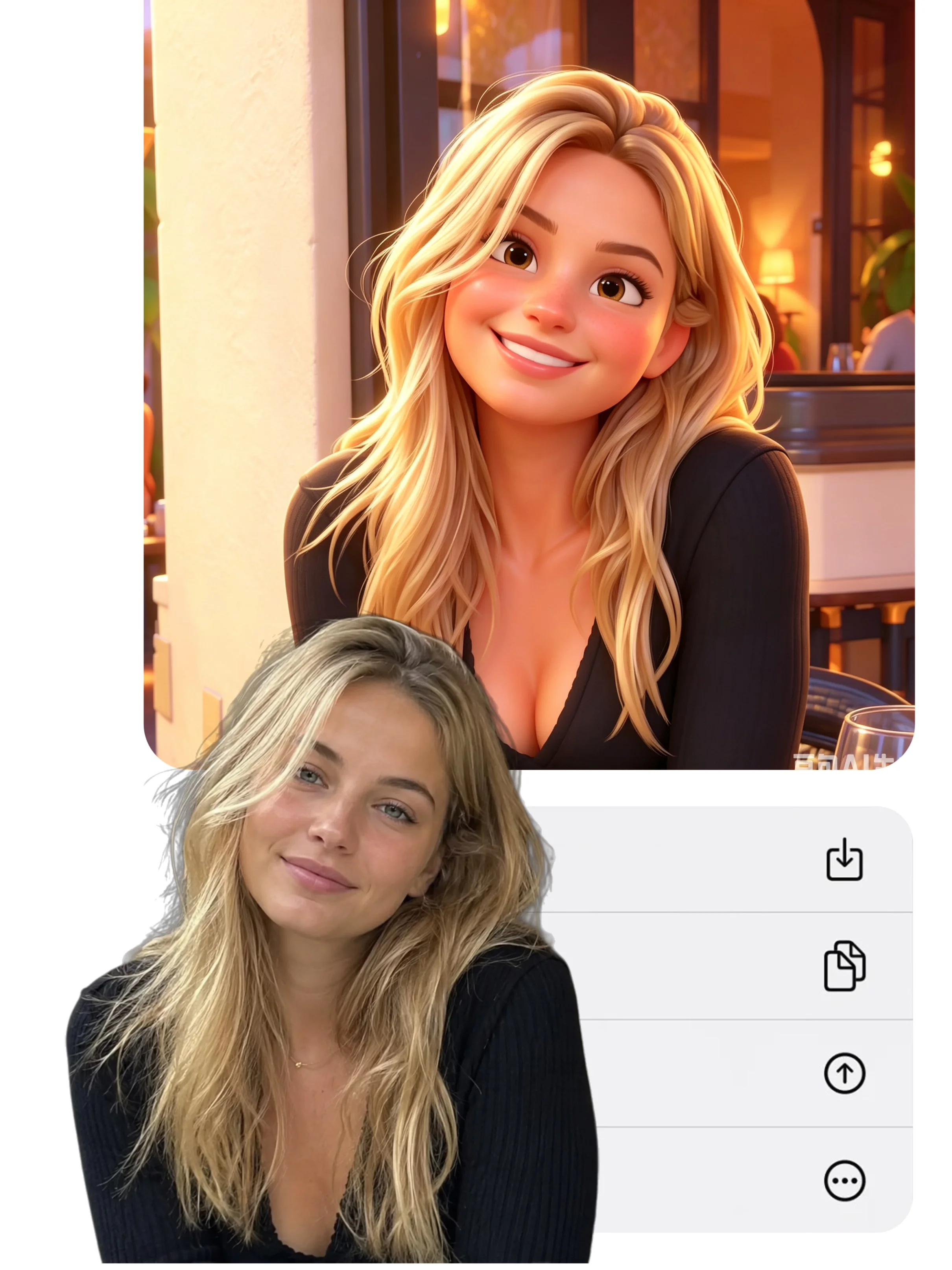
The 32 preset styles in Bobi cover a wide range of visual aesthetics — from classical oil painting to futuristic cyberpunk, from delicate watercolor to bold anime. For most users, these presets are more than enough to find an AI avatar style that feels like them.
However, there are times when you want something more specific. For example, you might want to combine elements from two different styles, or you may have a specific art movement in mind that is not represented in the presets. What if you want precise control over the background, the color palette, the lighting, or the mood of the portrait?
That is when custom prompt mode becomes your tool. Instead of choosing from a fixed list of styles, you describe exactly what you want in natural language, and the AI generates a stylized character portrait that matches your description.
The Prompt Structure
Writing an effective prompt for AI avatar generation follows a simple structure with six key components. Each part tells the AI something specific about the portrait you want to create. Therefore, understanding the structure is the first step to getting consistent, high-quality results.
- Subject — Start with your uploaded photo. The AI already knows the subject, so no extra description is needed here.
- Art Style — Define the visual direction: the art movement, the medium, or a specific artist reference. For instance, "oil painting impasto" or "Studio Ghibli watercolor."
- Medium — Specify the output format: digital portrait, film still, sketch, or illustration.
- Color Palette — Choose your colors: warm tones, monochrome, sepia, pastel, or high contrast.
- Lighting — Describe the light source and quality: soft window light, dramatic side lighting, golden hour glow.
- Mood — Set the emotional tone: calm and serene, bold and dramatic, mysterious and moody.
For example: Transform this portrait into a 1970s French film poster style — muted sepia tones, grainy texture, soft window light falling on the face, with a vintage Parisian street background. This prompt gives the AI clear guidance on all six components, resulting in a more accurate and visually compelling output.
Good vs Bad Prompts Examples
Not all prompts are created equal. The difference between a good prompt and a weak one often determines whether your AI avatar matches your vision or falls short. Below is a comparison of good and bad prompts — and the reason why each works or fails.
| Prompt Type | Example | Why It Works or Fails |
|---|---|---|
| Good ✅ | "Render this as a Studio Ghibli character — soft watercolor, warm pastels, gentle lighting, floating dust particles" | Describes a recognizable visual language: specific art style, medium, colors, and atmosphere. The AI has concrete references to work with. |
| Weak ❌ | "Make it look artistic" | Too broad. "Artistic" means different things to different people. The AI has no way to interpret this direction. |
| Good ✅ | "1970s French film poster — muted sepia, grainy texture, soft window light, vintage Paris street" | Combines era, medium, color scheme, texture, lighting, and setting in one concise prompt. |
| Weak ❌ | "Make me look cool" | Subjective and vague. "Cool" does not translate to visual parameters the AI can follow. |
| Good ✅ | "Fantasy elf portrait — ethereal glow, jewel tones, intricate gold filigree frame, mystical forest background" | Specific genre + lighting + color palette + framing + setting. Each element adds clarity. |
The pattern is clear: specific prompts produce specific results. Therefore, when writing your next prompt, ask yourself: can the AI visualize what I am describing? If the answer is no, add more concrete details. Experiment with different prompts and iterate — small changes in wording can produce dramatically different results.
Prompt Templates for Every Style
If you are not sure where to start, here are five ready-to-use prompt templates designed for different aesthetic directions. Simply copy the prompt, paste it into Bobi custom prompt mode, and see the result for yourself.
- 🎬 Cinematic Portrait: "Transform this photo into a cinematic film still — anamorphic lens flare, deep focus, teal and orange color grading, dramatic side lighting, shot on 35mm film."
- 🎨 Oil Painting Masterpiece: "Render this portrait as a classical oil painting — impasto brushstrokes, rich warm tones, Rembrandt-style lighting, dark background with a single light source from the upper left."
- 🌸 Anime / Manga Style: "Convert this photo into anime character art — cel shading, large expressive eyes, soft pastel color palette, bokeh background with cherry blossom petals floating."
- 🏰 Fantasy / RPG Character: "Transform into a fantasy RPG character — ethereal glowing aura, intricate armor details, magical particle effects, misty forest background, epic lighting."
- 🖤 Minimalist Line Art: "Create a minimalist line art portrait — clean black lines on white background, negative space, elegant simplicity, inspired by modern illustration styles."
Bobi Custom Prompt Mode
Bobi custom prompt mode is available to logged-in users who want to go beyond the 32 preset styles. The workflow is simple: upload your photo, write your prompt describing the desired look, and generate. In other words, there are no hidden settings or confusing parameters — just your photo, your words, and the AI.
This mode is designed for users who have a specific creative vision and want the freedom to express it. For instance, you might be an artist creating a consistent character portfolio, a gamer designing a unique avatar for your favorite game, or a professional who wants a very specific aesthetic. Whatever your goal, custom prompt mode gives you unlimited creative possibilities.
Start with the presets to see what Bobi can do. When you are ready for something truly unique, switch to custom prompt mode and describe your perfect look.
While this guide focuses on avatar prompts for profile pictures, the same technique works for portrait style transformation. Learn more in Beyond Presets: Create Custom Portrait Styles with AI Prompts.
Frequently Asked Questions
What if the AI output does not match my prompt?
Iteration is normal. Treat your first result as a draft. Adjust your prompt by adding more specific details — especially about lighting and color palette — and try again. Small refinements often produce dramatically better results.
How detailed should my prompt be?
Aim for 15-30 words covering 3-5 elements: style, color, lighting, setting, and mood. If a professional photographer could picture the shot from your description, you have written enough detail.
Can I reuse a prompt with a different photo?
Yes. Since the prompt describes the visual treatment rather than the subject, you can reuse the same prompt with any photo. However, results may vary depending on the original photo composition and lighting.
What is the ideal prompt length for AI avatars?
Most effective prompts are 20-50 words. They need enough detail to guide the AI but should remain concise enough for the model to process each element without confusion.